Kids’ Swim Trackers and Smartwatches: Rules and Privacy
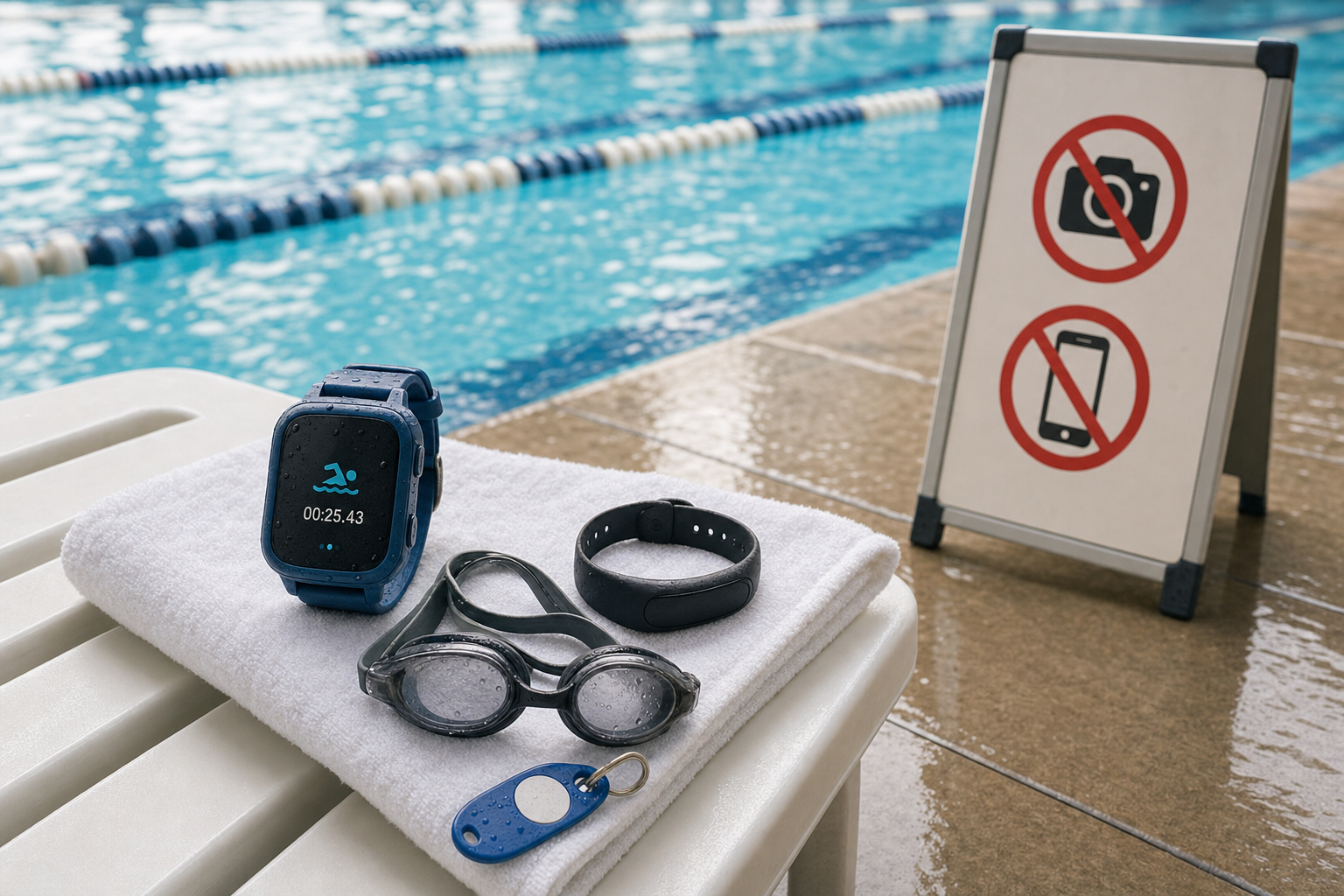
Swim-Friendly Wearables: What Works and What Doesn’t
If you’re looking for a tracker or smartwatch for your child aged 6-12 that can handle pool time, start by checking the waterproof rating. Devices like the Fitbit Ace 3 are labelled swim-proof with 50-meter water resistance—meaning they can safely be worn for swimming, showers, and rain exposure without worrying about damage. (aivanet.com) The Ace 2 offers similar protection. (inkin.com)
On the flip side, toy-style watches like VTech’s KidiZoom Smartwatch DX3 are splash-proof; splash and spill? No worries. Submerged in water? Not for these. They explicitly warn that they are not suitable for swimming, bathing, or showering. (manuals.plus)
If the watch has a camera or recording functions, it adds complexity. Waterproof smartwatches like Garmin’s Swim 2 still have none of the kinds of camera functions pool facilities often ban. (bhphotovideo.com) Always read small print.
Are Watches Allowed at the Pool? Facility Rules and Locker Room Privacy
Many public pools, YMCAs, and swimming centres place strict limits on electronic devices, especially those that record. For example, the YMCA of Montclair prohibits any device capable of taking photos or videos—including cell phones—in the pool area, locker rooms, sauna, and steam room. (montclairymca.org) The YMCA Greater Toronto bans any imagery-capturing device in such private zones completely. (ymcagta.org)
In New York City, there was a similar rule change: smartwatches are permitted at city pools, even in the water, if they don’t have cameras. Other electronics like radios, cameras, and phones remain banned on pool decks. (otdowntown.com) So a wearable with no camera or "recording" capability tends to comply better with pool policy.
If you want a structured way to help your child progress at home, the 10-Week Plan guides you step by step.
Lockers and changerooms are even stricter. Many YMCAs ban photography entirely there, even by parents. (ymcadallas.org) The rules are there for privacy and to comply with laws such as the Video Voyeurism Prevention Act in the U.S.
How to Protect Your Child's Privacy and Follow Etiquette
Before buying or wearing a kids swim smartwatch, check features. If there is a camera, confirm whether it can be disabled or physically covered. If there is GPS, voice recording, or connectivity to apps, check privacy settings—who has access, how data is stored, and whether there’s parental control.
[[ctakid]]
Always check the pool’s rules before arriving. Some facilities will allow wearables that are camera-free and water-safe; others ban all electronics in pool areas. If you’re uncertain, call ahead.
Additionally, there is a strong etiquette rule: never film anyone in locker rooms or changing areas. Even if the device has a camera disabled, many facilities ban any device capable of recording in spaces where people change or shower. The YMCA of Montclair clearly outlines that policy. (montclairymca.org) If you want to use photos for memories, restrict them to the side of the pool and only after consent from everyone in view. (ymcadallas.org)
Why Sometimes a Screen-Free Tracker Is the Better Choice
For some kids, a tracker without screen or camera is more than enough. Devices like basic step counters or band-style trackers (without GPS, without camera) tend to have fewer issues with facility rules, privacy concerns, and durability in chlorinated water or rough pool use. A screen-free tracker avoids temptation to film, reduces distractions during lessons, and keeps things simple.
For example, trackers that offer only step counting, active minutes, or sleep tracking often have higher water resistance and fewer points of failure.
Real-World Recommendations and Planning Ahead
For school-age kids who swim regularly, try combining a swim-friendly tracker with lessons. If you’re following structured swim training, consider resources like the 10-Week Plan of swimy.org to build skills safely before relying on tech data in the pool. Using trackers to support and reward effort during and between lessons works well.
Choose wearables that explicitly state water ratings like “50m water-resistant” or IP68 with swim mode. Avoid assuming that “splash-proof” or “swim-proof” are the same—look for design specs. Devices like Fitbit Ace 2 and Ace 3 give clear specs, while toy smartwatches might mark “splash-proof only.” (techadvisor.com)
Always keep an eye on battery vents, ports, and seals. Clean watch bands and dry the device well after swimming to avoid damage.
Takeaway: What Parents Should Do
Start by determining what your child needs: timing swims, motivation, or tracking performance. If a smartwatch meets those needs and is waterproof, ensure it has no camera or recording capability—or can disable it. Before heading to the pool, review the facility’s policy on cameras, phones, and watch-cameras. Follow privacy rules in locker rooms and always ask consent before taking photos. When in doubt, go for a tracker that does less but keeps things safe, private, and allowed.
If you do this, your child can enjoy tracking their swim progress without overstepping rules or compromising privacy. That’s the smart way to splash.
120+ swimming exercises sorted by age — with video and instructions. Developed by swim instructors, completely free.

120+ swimming exercises sorted by age — with video and instructions. Developed by swim instructors, completely free.